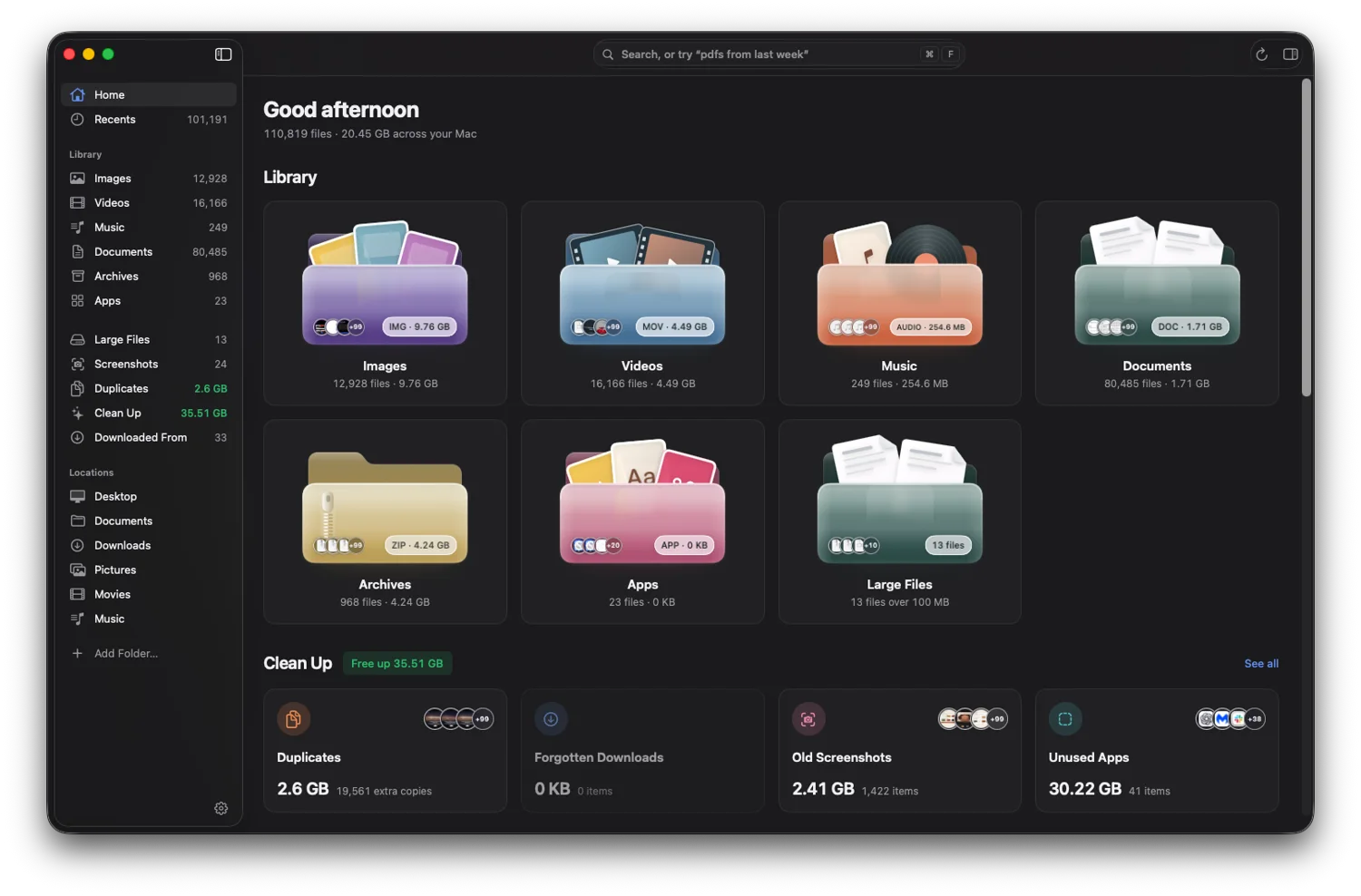
FileSift shows your folders as large, clear thumbnails, understands plain-English search, and clears out duplicates and old downloads. It works next to Finder and keeps everything on your Mac.
One-time purchaseFiles stay on your MacmacOS Sonoma 14 or later
Your whole Mac, laid out like a gallery.
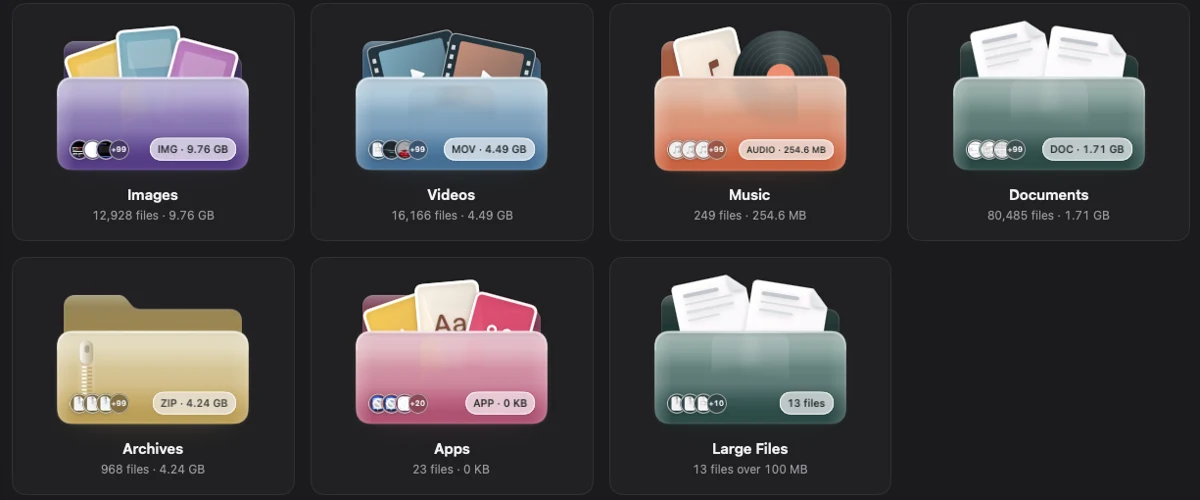
Folders you can actually recognise.
Images, videos, music, documents, archives and apps each get their own glossy folder, with a live count and size. Open one and every file shows a real preview.
FileSift reads your home folders in place. Nothing is moved or renamed.
Find things the way you remember them.
Type what you are looking for in everyday words. FileSift shows you how it understood the question, so you can adjust it.
Search in plain English
Try “pdfs from last week”, “videos over 2 GB” or “screenshots this month”. FileSift turns the words into filters you can see and change.
Search the text inside images
Screenshots and scans become searchable. Recognition runs on your Mac with Apple’s own text engine.
Downloaded From
Every download is grouped by where it came from. Find that attachment without remembering the filename.
Duplicates, with a keeper
FileSift finds identical files and look-alike photos, always keeps one copy, and checks it again before anything moves.
Preview without opening
Press Space for a large preview of images, video, audio, PDFs and documents. Use the arrow keys to move through a folder.
Tags and iCloud, handled
FileSift shows your Finder tags and marks files that live only in iCloud, without downloading them in the background.
Clean Up
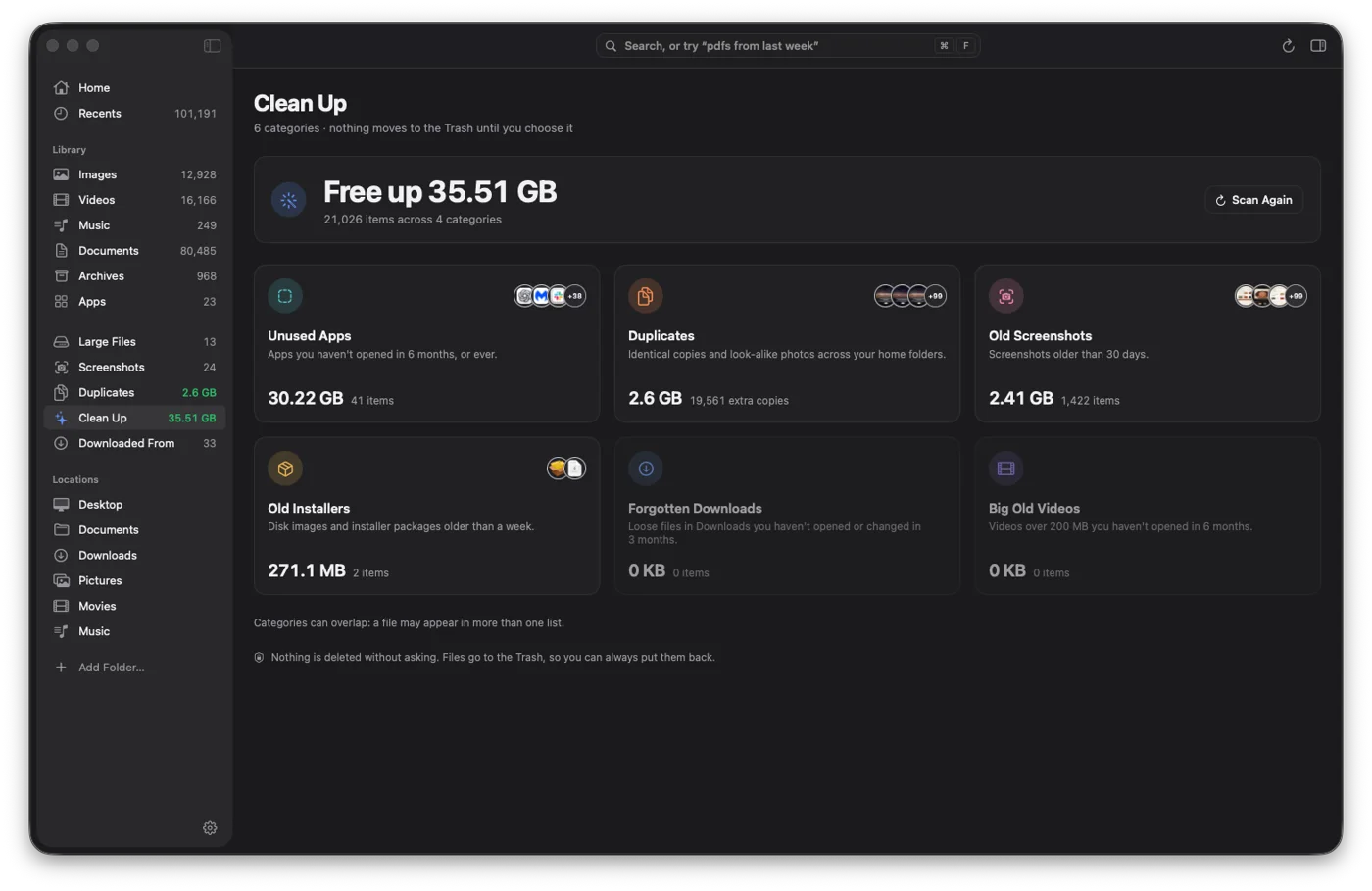
See what is taking space. Decide what goes.
Old installers, forgotten downloads, old screenshots and apps you have not opened in months, sorted by how much room they take. Nothing is deleted. Files go to the Trash, so you can put them back.
Private by design.
Your files, search terms and thumbnails never leave your Mac.
It reads, you decide
FileSift only reads folders you allow. It never uploads, syncs or analyses your files on a server.
Trash, not delete
Every removal goes to the Trash first. FileSift confirms the size and count before it moves anything.
Built for macOS
A native app that uses Spotlight, Quick Look and Apple’s on-device text recognition, so it stays quick on large libraries.
Pay once. Keep it.
No subscription and no account.
$19one time
Every feature: browsing, search, duplicates, Clean Up, Quick Look
One licence key works on up to 2 of your Macs
Works in place on your existing folders and shows your Finder tags
Runs on macOS Sonoma 14 or later, on Apple silicon and Intel
Your licence key is emailed right after payment and shown on the download page. Needs an internet connection once, to activate. Price in US dollars; tax may be added at checkout.
Questions.
Does FileSift replace Finder?
No. It sits next to Finder as a faster way to look through and search your files. You can still open anything in Finder from FileSift.
Will it delete my files?
Only when you ask. Removals go to the Trash, and FileSift shows how many files and how much space before it moves them. For duplicates it always keeps one copy.
Is anything sent to a server?
No. Browsing, search and text recognition all run on your Mac. The direct download contacts a server only to check your licence and look for updates.
Which Macs does it run on?
Any Mac with macOS Sonoma 14 or later, Apple silicon or Intel.
Does it work with iCloud Drive?
Yes. Files that are only stored in iCloud are shown but never hashed or removed as duplicates, so FileSift does not download them in the background.
Your files, finally in view.
Open FileSift once and everything on your Mac is a click away.